How to reinstall VMP™ VPN on iOS
To reinstall VMP™ VPN on your iOS device, follow these steps:
1. Locate the VMP™ VPN application on your iOS device.
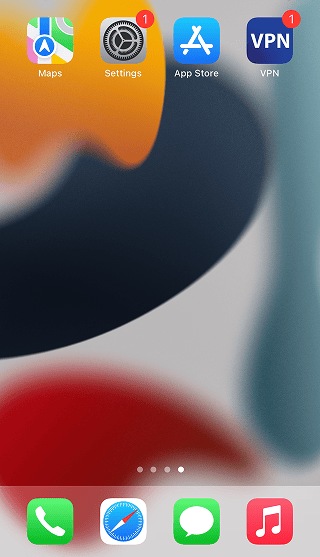
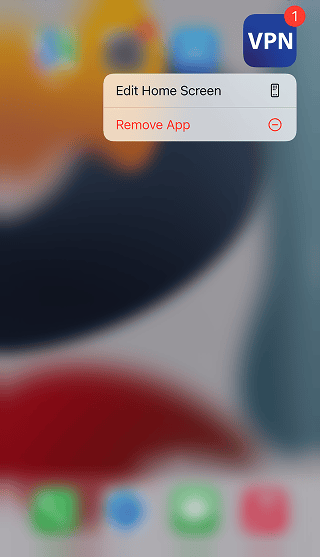
2. Long press on the VMP™ VPN application. An options menu will appear. Tap on Remove App.
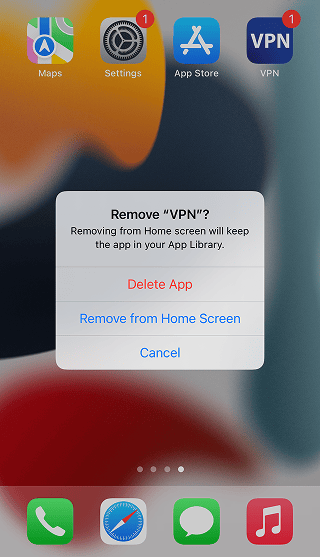
3. Tap on Delete App to confirm.
3. In the new pop-up, select Delete to remove the app data.
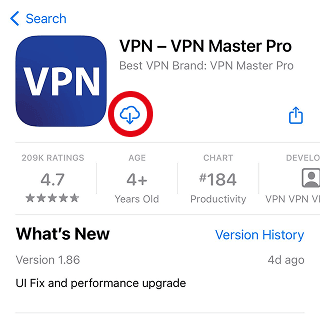
4. Download the updated VMP™ VPN app from the App Store.
5. Install the app. Follow the article on How to set up VMP™ VPN on iOS for instructions.
Need More help?
If you are experiencing issues, please reach out to our support team for assistance.